Pregnancy Tracker & Day by Day
- 4.8
- Rating
- 1.00M
- Installs
- Free
- Price

 Analysis by App-foxy
Pregnancy can turn an ordinary day into a long list of questions: What is happening this week? Is that movement normal? When should I start timing contractions? I found Pregnancy Tracker & Day by Day most useful when I treated it as a calm reference tool rather than a substitute for medical care. It brings daily and weekly pregnancy guidance, a kicker counter, a contraction timer, and practical tips into one free parenting app instead of making me jump between separate tools.
My overall view is positive, but with an important qualification. This is a good companion for someone who wants a simple way to follow pregnancy milestones and keep a few practical tools close at hand. It is less suitable for anyone looking for detailed clinical monitoring, highly personalized medical advice, or a complete replacement for conversations with a midwife or doctor. The app’s strength is organization and accessibility, not diagnosis.
How the pregnancy timeline works in everyday use
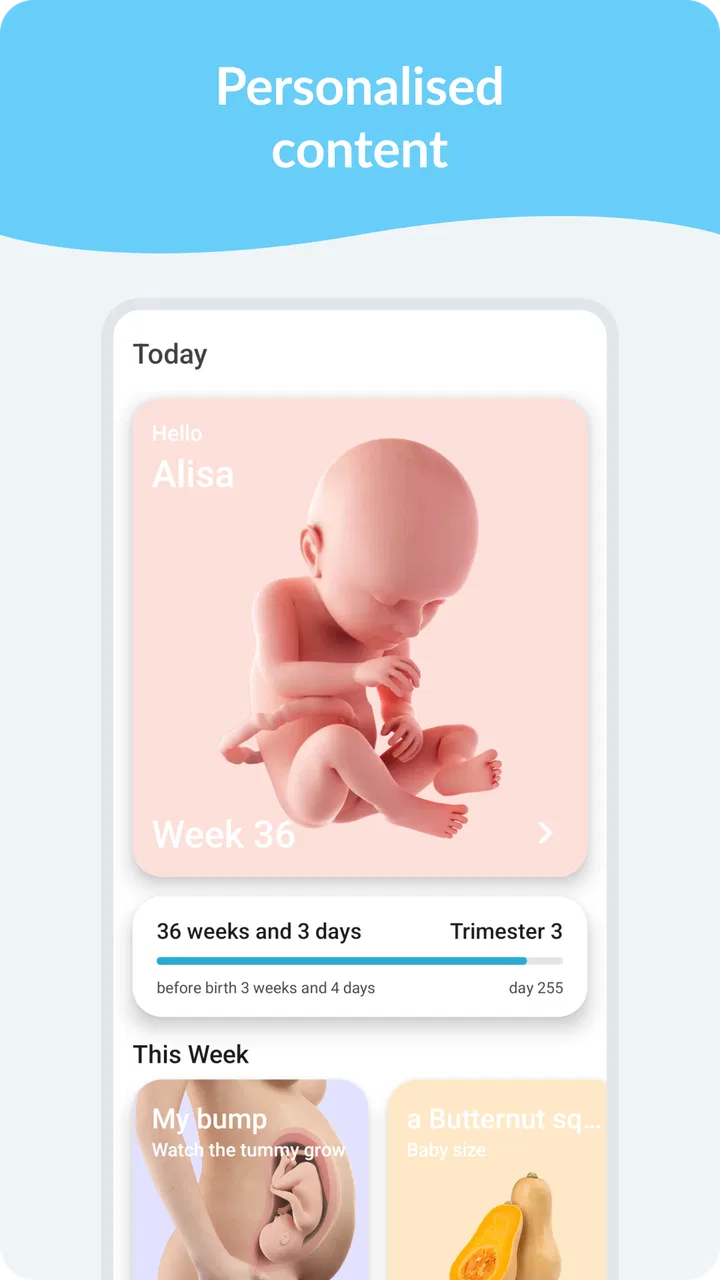
The central experience is the day-by-day and week-by-week pregnancy view. I like this format because it gives the pregnancy a manageable rhythm. Instead of opening an app only when a concern appears, I can check what the current stage is meant to focus on and then move on with my day. That makes the information feel less overwhelming than a long reference library where every possible symptom is displayed at once.
You May Also Like

 Blood Strike: 2.5 Anniversary
Blood Strike’s Loadouts Turn Every Drop Into a Tactical Gamble
A close look at Blood Strike’s custom loadouts: how fast access to signature weapons reshapes its battle royale rhythm, rewards preparation, and narrows the gap between fights.

 Pandora - Music & Podcasts
Pandora’s Music Is Easy to Start, but Harder to Recover
Pandora’s strength is its low-effort path from a seed to a station. Its weak spot is how much confidence it asks you to place in connection, setup, and quiet recovery.

 8 Ball Pool
 Is Built on Rivalries, Rematches, and Routine
A close look at the rivalries, rematches, shared routines, and unanswered safety questions that turn a quick pool match into a persistent mobile community.

 Samsung Music
’s Quiet Strength Is Playing What You Already Own
Its reach comes less from spectacle than from dependable access to a personal library. That simplicity is both the app’s strongest retention engine and its ceiling.

 AccuWeather: Weather Radar
AccuWeather Review: A Quick, Clear Forecast for Everyday Decisions
For everyday plans, the best forecast is the one you can understand quickly. AccuWeather makes rain timing, radar, and local conditions easy to act on, with a few trade-offs.

 Hill Climb Racing
Why Hill Climb Racing Still Turns Crashes Into One More Run
A tiny car, a bumpy hill and one more upgrade: Hill Climb Racing keeps resurfacing because its simple chaos makes every near-miss feel personal.
More From Our News Desk



The daily approach is especially helpful early in the morning or during a quiet evening check-in. A short visit can answer the basic question many expectant parents have: what should I be thinking about right now? The weekly view is better for planning. I can use it to prepare questions for an appointment, think about upcoming changes, or discuss the pregnancy with a partner without needing to remember every detail from previous weeks.
That combination is more useful than it may sound. A week-based tracker alone can feel too broad, while a daily feed can become noisy if it demands constant attention. Here, the two views serve different purposes. I use the daily information for orientation and the weekly information for context. That division is one of the app’s most practical design choices.
The app comes from Timskiy and sits clearly in the parenting category. It is free to install, with optional in-app purchases ranging from $2.49 to $16.99 per item. The free entry point matters because pregnancy tools are often downloaded at a moment when people are comparing several options and do not yet know which format will suit them. I can try the basic experience before deciding whether any paid extras are worth considering.
It is also approachable from a device-compatibility perspective. The current version is 1.6.0 and works on Android 6.0 or later, so it is not aimed only at people with the newest phones. The content rating is Everyone, which fits the app’s general-purpose educational and organizational role. I would still encourage readers to judge the actual guidance with the same care they would use for any health-related app, regardless of its age label.
The daily view is best used as a conversation starter
One of the more valuable ways to use the timeline is to turn it into a prompt list for appointments. Rather than trying to memorize every change described during the week, I can note which points feel relevant and ask about them later. This keeps the app in its proper role: it helps me notice topics and organize thoughts, while a qualified professional interprets symptoms and gives personal advice.
This workflow is particularly useful for a first pregnancy, when nearly every new sensation can feel significant. I can read the current entry, separate general information from something that concerns me personally, and then decide whether to mention it at my next appointment or seek advice sooner. The app does not remove uncertainty, but it can make that uncertainty easier to describe.
For experienced parents, the timeline may be more useful as a lightweight reminder than as a source of discovery. Someone who already knows the broad stages of pregnancy may not need extensive explanations every day. Even so, the weekly structure can help with planning and provide a convenient place to return when a particular stage brings back questions.
Kicker counting adds a practical tool, not just reading material
The kicker counter is the feature that makes this more than a simple pregnancy article feed. Tracking movement can be difficult when I am busy, distracted, or unsure how to keep a consistent record. Having a dedicated counter gives me a focused activity: sit down, pay attention, and record movement rather than relying on memory.
A useful habit is to choose a time when the baby is often active and use the counter in the same general part of the day. Consistency makes the record easier to understand than random checks made only when I feel anxious. I would not treat the result as a pass-or-fail medical test, though. If movement seems noticeably different or concerning, an app should not delay contacting a healthcare professional.
The counter is also helpful for partners who want a more involved role. One person can focus on the movements while the other handles the phone, turning the process into a shared moment rather than a solitary task. That may sound minor, but practical participation can make pregnancy feel less abstract for someone who cannot experience the physical changes directly.
There is a trade-off here. A digital counter is convenient, but convenience can encourage over-checking. I would avoid opening it repeatedly for reassurance, because that can turn a useful routine into another source of worry. Used at an agreed time and alongside professional guidance, it is a sensible feature. Used as a diagnostic authority, it is the wrong tool.
The contraction timer becomes more valuable later
The contraction timer is another feature that earns its place because it addresses a specific moment rather than offering general reading. When contractions begin, it can be hard to remember when one started, when it ended, and how close the next one was. A timer reduces the mental load and gives me something concrete to work with.
The best workflow is to practice using it before it is urgently needed. I would open it during a calm moment, understand how to start and stop a contraction, and make sure the person who may be helping knows the same process. Learning an interface during intense discomfort is a needless complication. A short trial run can make the tool feel much more natural when the time comes.
It is also worth keeping expectations realistic. Timing contractions can help communicate a pattern, but the pattern alone does not decide what is happening medically. Guidance from a maternity provider should take priority, especially if there are symptoms or circumstances that require immediate attention. The timer is a recording aid, not a triage service.
This is where the app compares well with the usual alternative of using a stopwatch, notes app, or mental arithmetic. A general stopwatch can measure one interval, but it is not designed around the repeated task of tracking contractions. A notes app can store times, yet it leaves me to organize them. The built-in timer keeps the purpose clearer and removes some of that improvisation.
Tips are useful when I keep them in perspective
The tips section rounds out the experience by giving the timeline a more practical tone. I appreciate tips most when they help me prepare, reflect, or ask better questions rather than pretending every pregnancy follows the same script. The value comes from knowing what to consider, not from treating a short app entry as a personal medical plan.
One of my preferred ways to use the tips is to save a small mental shortlist for the week: one thing to discuss at an appointment, one preparation task, and one change to observe without panicking. That prevents information overload. Pregnancy apps can become counterproductive when they encourage constant checking, and a limited routine keeps this one from taking over the day.
The tips are also a reasonable resource for a partner or family member who wants to understand what the pregnant person may be experiencing. Sharing a relevant topic can start a more useful conversation than simply forwarding a large amount of information. Still, I would be careful about turning general advice into instructions for another person. Pregnancy is personal, and the app cannot account for every medical history.
Where the experience falls short
The biggest limitation is the boundary between general pregnancy guidance and individualized care. The app can tell me what stage I am viewing and offer tools for movement or contractions, but it cannot examine me, interpret my full history, or respond to an emergency. That is not a flaw unique to this product, but it matters because the clean interface may make general information feel more authoritative than it really is.
I would also hesitate to recommend it to someone who wants extensive customization. The appeal here is simplicity: a timeline, practical counters, a timer, and tips. People who expect detailed logging for appointments, broad symptom analysis, nutrition planning, medication reminders, or deep integration with other health services may find the experience too narrow. A more comprehensive pregnancy platform could be a better fit for them, even if it feels busier.
The free model is welcoming, but optional purchases can complicate the decision for users who want to know exactly what belongs to the basic experience and what requires payment. Since the available items range from $2.49 to $16.99, I would review each purchase carefully rather than assuming every useful addition is included at no cost. For someone seeking a completely free, no-decision tool, that can create friction.
Another limitation is emotional rather than technical. A daily pregnancy app can encourage frequent comparison between general milestones and a personal experience. If a user becomes anxious whenever their experience does not match a typical description, the timeline may do more harm than good. In that situation, I would reduce checking, use the app only for practical tools, or skip it in favor of direct guidance from a care team.
The app’s popularity suggests that its straightforward approach works for many people. It holds an average rating of 4.8 from around 76 thousand ratings and has passed one million installs. Those figures make it easier to understand why a reader might consider it, but they do not change the central point: a popular tracker is still not a medical professional, and a high rating cannot tell me whether its style matches my needs.
Who should choose it, and who should look elsewhere?
I think it is a strong fit for an expectant parent who wants one uncomplicated place to follow the pregnancy and access two time-sensitive tools. It is particularly appealing if I do not want to build a system from a calendar, notes app, stopwatch, and separate articles. The app reduces that scattered feeling without demanding that I become an expert in health tracking.
It also suits couples who want a shared routine. One person can read the current stage information, another can help with movement counting, and both can prepare questions for appointments. The app does not need to be used constantly to be useful. A brief weekly review plus occasional use of the counter or timer is a more sensible pattern than opening it every time a worry appears.
I would be more cautious about recommending it to someone with a complicated pregnancy or a condition requiring close monitoring. In that situation, an app with features specifically chosen by a healthcare team, or a provider’s own monitoring process, should come first. I would also point elsewhere if the main priority is extensive data export, detailed symptom records, or highly individualized medical guidance.
For a person who dislikes notifications, frequent content, or pregnancy apps that make every day feel like an assignment, this one may still work because its core tools are easy to understand. But if even general milestone information increases anxiety, no tracker is automatically the right answer. Sometimes a simple written plan from a midwife or doctor is more reassuring than another screen.
My verdict after using the full toolkit
Pregnancy Tracker & Day by Day succeeds because it concentrates on a few recognizable needs instead of trying to become an entire healthcare system. The daily and weekly timeline gives structure, the kicker counter supports a consistent movement routine, the contraction timer is practical when labor-related timing becomes relevant, and the tips provide prompts for preparation and discussion.
Its weaknesses are equally clear. The guidance remains general, optional purchases may require careful attention, and the app will feel limited to anyone seeking deep medical personalization or a large record-keeping system. Those are meaningful boundaries, not reasons to dismiss it. They simply define the right way to use it.
The developer is Timskiy, and the app has been available since Aug 7, 2019. With its free starting point, Everyone content rating, and broad Android compatibility, it is easy to try without committing to a complicated setup. I would recommend it to someone who wants a friendly pregnancy companion with a few genuinely useful tools, provided they keep their healthcare provider as the authority for symptoms, concerns, and decisions.
My specific recommendation is to use the timeline once a day or a few times a week, turn the kicker counter into a consistent rather than anxious routine, and learn the contraction timer before it is needed. That approach gets the most value from the app while avoiding its main risk: mistaking convenient tracking for medical reassurance. For that audience, it is a practical and approachable choice; for everyone else, a more specialized or clinician-led option may be better.
FAQs for Pregnancy Tracker & Day by Day
01What features does the Pregnancy Tracker & Day by Day app offer?
The Pregnancy Tracker & Day by Day app offers a comprehensive suite of features designed to support expectant parents. It includes daily updates on fetal development, personalized tips, a kick counter, contraction timer, and a diary for tracking appointments and milestones. Users can also find nutritional advice and connect with a supportive community.
02Is the app suitable for first-time parents?
Absolutely! The Pregnancy Tracker & Day by Day app is designed to be user-friendly and informative, making it ideal for first-time parents. It provides detailed explanations of each stage of pregnancy, helping new parents understand what to expect. The app's intuitive interface makes it easy to navigate, even for those unfamiliar with pregnancy tracking.
03Does the app require an internet connection to function?
While some features of the Pregnancy Tracker & Day by Day app work offline, such as the diary and kick counter, others may require an internet connection. Features like accessing community forums or receiving real-time updates and news typically need internet access. It's advisable to have a connection to enjoy the full range of functionalities.
04How secure is my personal information on the app?
The Pregnancy Tracker & Day by Day app prioritizes user privacy and data security. It employs encryption and secure servers to protect personal information. However, users should review the app's privacy policy to understand how their data is used and stored. Regular updates ensure that the app adheres to the latest security standards.
05Can my partner also access the app's information?
Yes, the Pregnancy Tracker & Day by Day app allows for partner access. Users can share progress and important milestones with their partners by syncing accounts or sharing specific entries. This feature helps partners stay informed and engaged throughout the pregnancy journey, fostering a shared experience.
Pros
- User-friendly interface for easy navigation.
- Comprehensive daily pregnancy tips provided.
- Tracks baby's development with detailed visuals.
- Includes helpful reminders and checklists.
- Customizable features for a personalized experience.
Cons
- Limited features in free version.
- In-app ads can be intrusive at times.
- Requires internet for full functionality.
- Some information may feel repetitive.
- Occasional glitches in calendar updates.

Pregnancy Tracker & Day by Day
Gallery